Change a page or workflow
Adjust fields, terminology, validation, status flow, approvals, calculations, navigation, roles, and user actions around the way the work is actually performed.
Simor ERP connects inventory, purchasing, sales, accounting, manufacturing, costing, payroll, reporting, permissions, and licensing in a working system. The live product reflects extensive engineering and QA work, not a scripted prototype. Canadian operational and jurisdictional requirements can be configured and validated for each implementation, while pages, modules, reports, rules, and integrations can be changed around the customer.
This link opens the working Simor ERP - not a video, slideshow, or static prototype. Review the standard product first, then request authenticated access for a deeper evaluation and define customization, migration, deployment, training, and support.
Simor ERP is a working software foundation backed by the same team that provides custom development. The standard system can be evaluated live, while customer implementations can change the parts that create operational fit.
Adjust fields, terminology, validation, status flow, approvals, calculations, navigation, roles, and user actions around the way the work is actually performed.
Create customer-specific reports, dashboards, KPIs, exports, reconciliations, alerts, and drill-down paths using the records and definitions the organization relies on.
Extend the connected ERP with a new module or scope an individual capability as a focused application when a full ERP implementation is not the right starting point.
Integrate accounting, identity, payments, storage, customer platforms, supplier systems, or other APIs while defining ownership, validation, recovery, and audit requirements.
Simor ERP is broad enough to manage the full operational cycle and flexible enough to be configured or extended when your process is different.
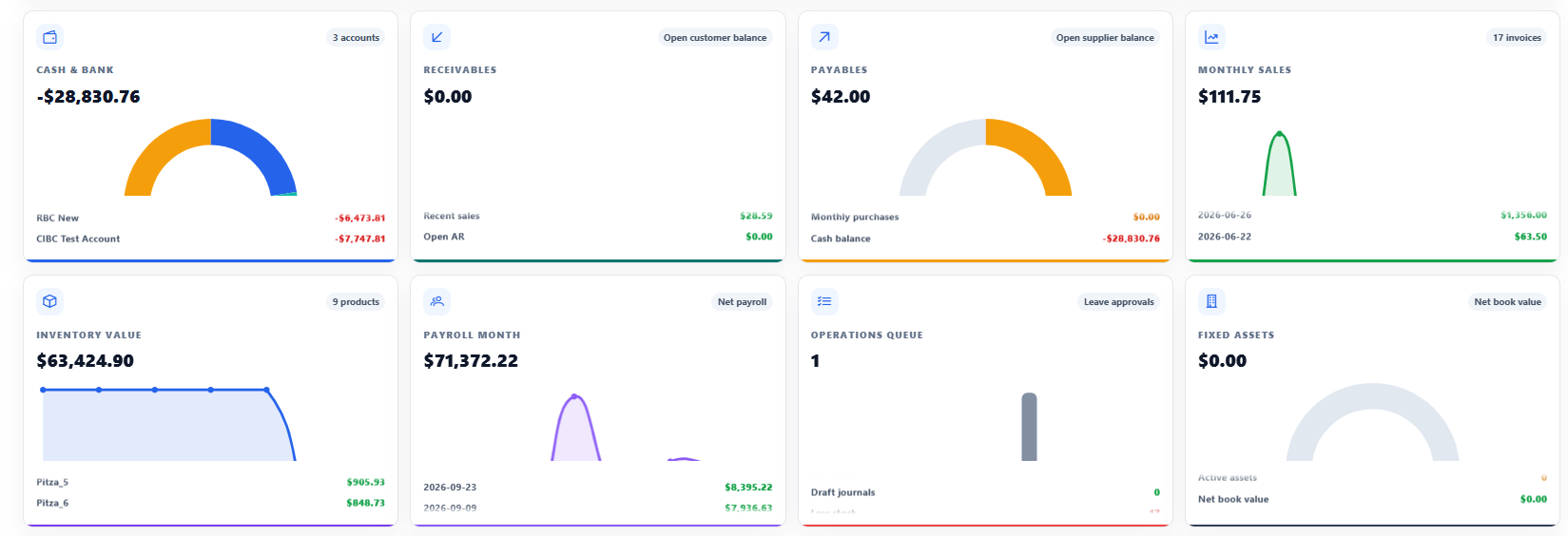
KPI cards, charts, recent transactions, low-stock warnings, and operational signals.
View workflow detailsSKU, barcode, categories, product types, units, decimal conversions, price lists, and validity dates.
View workflow detailsWarehouses, locations, balances, ledger, transfers, availability, reorder rules, and valuation.
View workflow detailsSuppliers, orders, receipts, invoices, payments, automatic pricing, and accounting flow.
View workflow detailsCustomers, orders, deliveries, invoices, receipts, availability, pricing, revenue, and COGS.
View workflow detailsChart of accounts, journals, statements, aging, fiscal periods, banking, and fixed assets.
View workflow detailsBOMs, routings, work centers, capacity, production, material issues, quality, scrap, and subcontracting.
View workflow detailsDemand and supply signals, recommendations, reorder policies, safety stock, and pegging.
View workflow detailsLanded cost, moving average and standard cost, job costing, margin, rollups, and variance.
View workflow detailsEmployees, assignments, components, payroll runs, compliance reports, pay, and time-off portals.
View workflow detailsUsers, roles, menu and module permissions, status management, favourites, and consistent tables.
View workflow detailsSigned offline licences, user and module limits, expiry, read-only controls, backend enforcement, and audit.
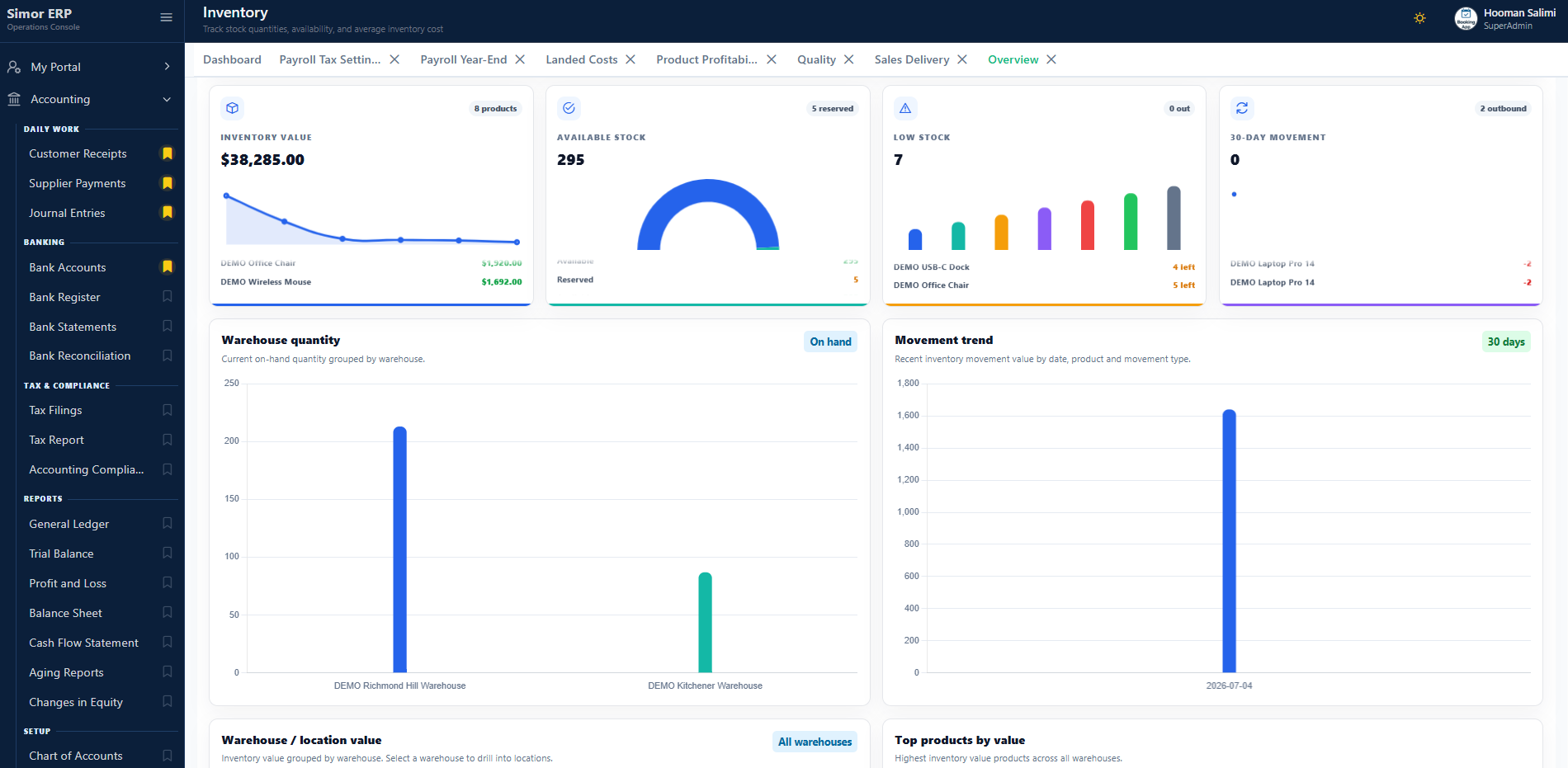
View workflow detailsSee product quantities and value by warehouse and location, review reservations and availability, trace stock movements, and act on low-stock and replenishment signals.
Connect engineering definitions with material demand, resource capacity, production execution, quality, and financial outcomes.
Model components, operations, setup and run time, queue and move time, labor and machine rates, and capacity.
Issue materials, log time, complete work orders, receive finished goods, track scrap, perform quality checks, and manage subcontracting.
Generate recommendations, trace pegging, post material and resource journals, roll up costs, compare standards, and analyze variance.
Simor ERP is a working foundation. Simor Soft can change terminology and workflows, add pages and fields, develop new modules, build specialized reports, create integrations, migrate data, and define deployment and access around your organization.
Adapt statuses, validations, calculations, exceptions, and approval paths.
Create customer, employee, management, or operations experiences for specific users.
Build KPIs, exports, statements, analyses, and operational views around decisions.
Connect existing systems and move validated data from spreadsheets or legacy applications.
Each guide explains the operational problem, connected solution, core capabilities, expected outcomes, and the ways Simor Soft can customize the workflow.
The product page stays focused on Simor ERP. The complete and growing article collection lives in the ERP resource library, organized around connected business workflows.
Find accounting, inventory, manufacturing, payroll, audit, tax, security, and costing guidance connected directly to Simor ERP.
Accounting and bankingStart with customer receipts, then continue through payments, statements, reconciliation, periods, tax, and financial audit.
Inventory and costingExplore valuation history, landed cost, transfers, price lists, job costing, and the financial effect of inventory activity.
ManufacturingReview quality, subcontracting, cost rollups, scrap, time logs, BOMs, planning, and connected production transactions.
People and controlUnderstand Canadian payroll operations, system activity, financial audit evidence, permissions, and controlled corrections.
Simor ERP supports connected transactions rather than isolated screens. Available configuration, jurisdictional settings, enabled modules, and deployment responsibilities are confirmed for each customer.
Maintain SKUs, barcodes, categories, item types, inventory, purchase and sales units, decimal conversions, price lists, supplier- or customer-specific prices, quantity breaks, and validity dates.
Connect purchase, sales, payment, payroll, manufacturing, and landed-cost transactions with journal impacts, fiscal periods, accounts, statements, aging, banking, fixed assets, cash flow, and profitability reporting.
Manage BOM revisions, work centres, routings, capacity and rates, production orders, material issue, time, completion, receipt, scrap, quality checks, subcontracting, reverse production, cost rollups, variance, and MRP pegging.
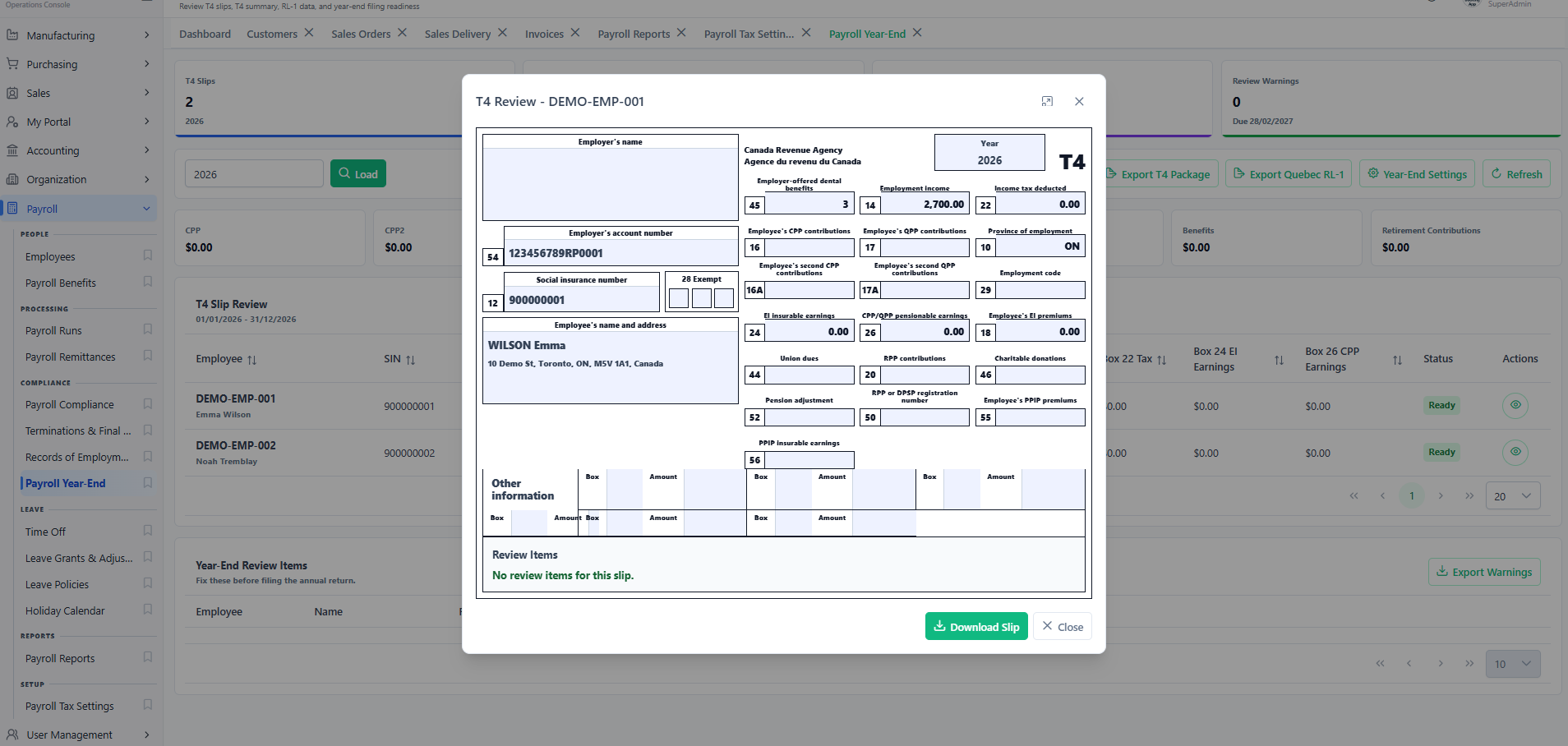
Manage employees, payroll assignments and components, payroll runs, audit and compliance-oriented reports, employee pay access, and time-off access. Payroll formulas and jurisdictional settings can be configured for the applicable implementation and must be validated by the customer's qualified payroll or accounting personnel before filing, remittance, or production reliance.
Control users, roles, menu and module permissions, active-user limits, module access, expiry, read-only or locked states, and licence audit events. Signed customer licence files are verified by the application, while the vendor private signing key remains outside the deployed system.
Use searchable, filterable, sortable, paginated, and exportable data tables with consistent form and modal patterns across the multi-page ERP experience.
These illustrative scenarios show how implemented capabilities can work together. They are not claims about a named customer or guaranteed business outcomes.
A product company confirms available stock, creates a sales order, records delivery, generates an invoice, posts revenue and cost of goods sold, applies the customer receipt, and reviews aging, gross profit, cash flow, profit and loss, and balance-sheet impact without re-entering the transaction in separate operational and accounting files.
An organization maintains employees, assignments, configured payroll components, and a payroll run; reviews audit and compliance-oriented outputs; provides employees with pay and time-off access; and posts the approved accounting impact to the general ledger. The organization validates jurisdictional configuration and statutory outputs before remittance or filing.
Simor ERP is scoped around the modules, workflows, data, integrations, deployment, and support an organization actually needs.
Price depends on selected modules, users, configuration, custom development, migration, integrations, hosting, training, and support. Discovery leads to a documented scope, assumptions, delivery approach, and estimate instead of a misleading one-size-fits-all number.
Qualified organizations can request a time-limited evaluation environment with full-module access and no software charge during the agreed evaluation period. The evaluation window, users, hosting, sample data, and support arrangements are confirmed before access is provided. Review the ERP Trial Policy.
The deployable ERP foundation can be prepared after the server or hosting environment, database, access, and initial users are confirmed. Migration, integrations, training, configuration, and custom development may extend the broader implementation schedule.
The live demonstration presents the working product. A guided evaluation focuses on your modules, workflows, customization needs, migration, integrations, access, and deployment questions.
Detailed examples of performance, dashboard, inventory, and profitability problems addressed through real Simor Soft development work.
The resulting design returned a bounded and relevant result set, preserved reliable sorting and filtering, and kept totals aligned with authoritative ERP records. The work also established a repeatable measurement method for future screens instead of relying on subjective impressions.
Read the case study →The dashboard became a collection of governed, independently observable components. Critical context could arrive first, secondary analysis loaded deliberately, and a failure in one component no longer prevented the whole page from becoming useful.
Read the case study →The approach defined authoritative transaction types, atomic posting boundaries, idempotent integration behaviour, controlled negative-stock rules, and repeatable reconciliation. Users could trace a balance to its movements and correct exceptions through governed entries rather than hidden edits.
Read the case study →The completed model established consistent transaction links, documented cost and margin definitions, reconciliation to operational and financial records, and drill-down from product profitability to source activity. It supported analysis without pretending every estimate was a finalized accounting value.
Read the case study →